Your Personal Information Can Show Up Online More Easily Than You Think
Searching your own name on Google can be unsettling. In many cases, it reveals far more than most people expect.
A simple search may bring up details such as your name, age, workplace, home address, past phone numbers, and even relatives. What makes this more alarming is that these details can appear near the top of search results, making them easy for almost anyone to find with a single search.
If you have not taken steps to keep your information private online, now is a good time to start. Google now offers a simpler way to request the removal of personal information from search results.
Why So Much Private Data Appears in Search Results
The problem is not that your information suddenly appeared overnight. It is that a lot of personal data is already available online, and Google search can make it easier to find.
When someone searches your name, search results may connect pieces of information like your address, phone history, spouse, workplace, and other identifying details. Because this information can be surfaced so quickly, it can feel like your privacy is no longer fully in your control.
Google recently introduced a tool called Results about you to help people request the removal of personal information from search results. As of this month, the feature is still in beta, so it may not be available to everyone right away.
How to Use Google’s “Results About You” Tool
If the feature is available on your account, you can begin taking steps to reduce how much personal information appears in search.
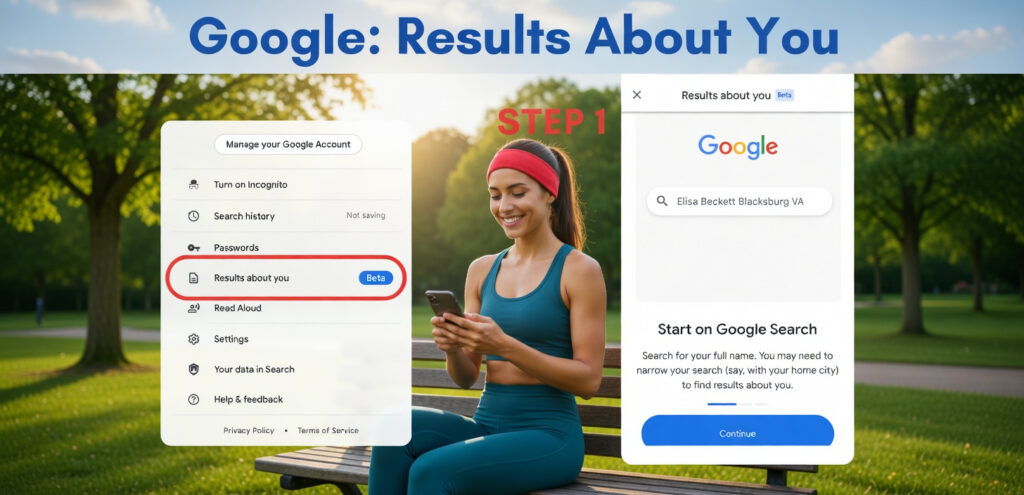
1. Check Whether the Feature Is Available
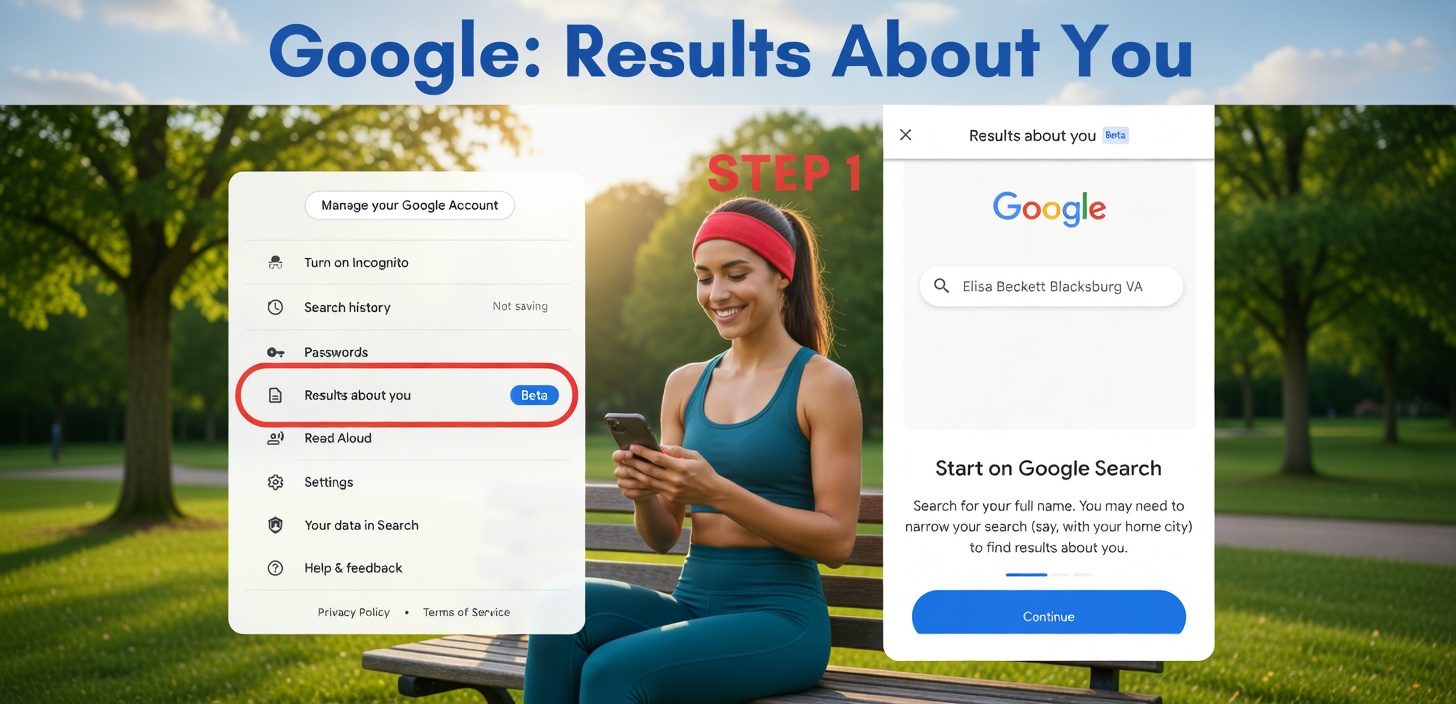
Start by signing in to your Google account. Open your account menu drop-down and look for Results about you. If you see it, the feature is available for you to use.
You can also check by clicking the three-dot icon next to a specific search result you want Google to remove.
Once you confirm that the option is available, you can move on to the next step.
2. Search for Your Full Name
Run a Google search using your full name to see what information about you is already showing up.
If needed, make the search more specific by adding your hometown or profession. This can help narrow the results and make it easier to find pages that are actually about you.
You may find results showing a large amount of personal information, including your age, phone number, address, spouse, or workplace.
3. Submit a Removal Request
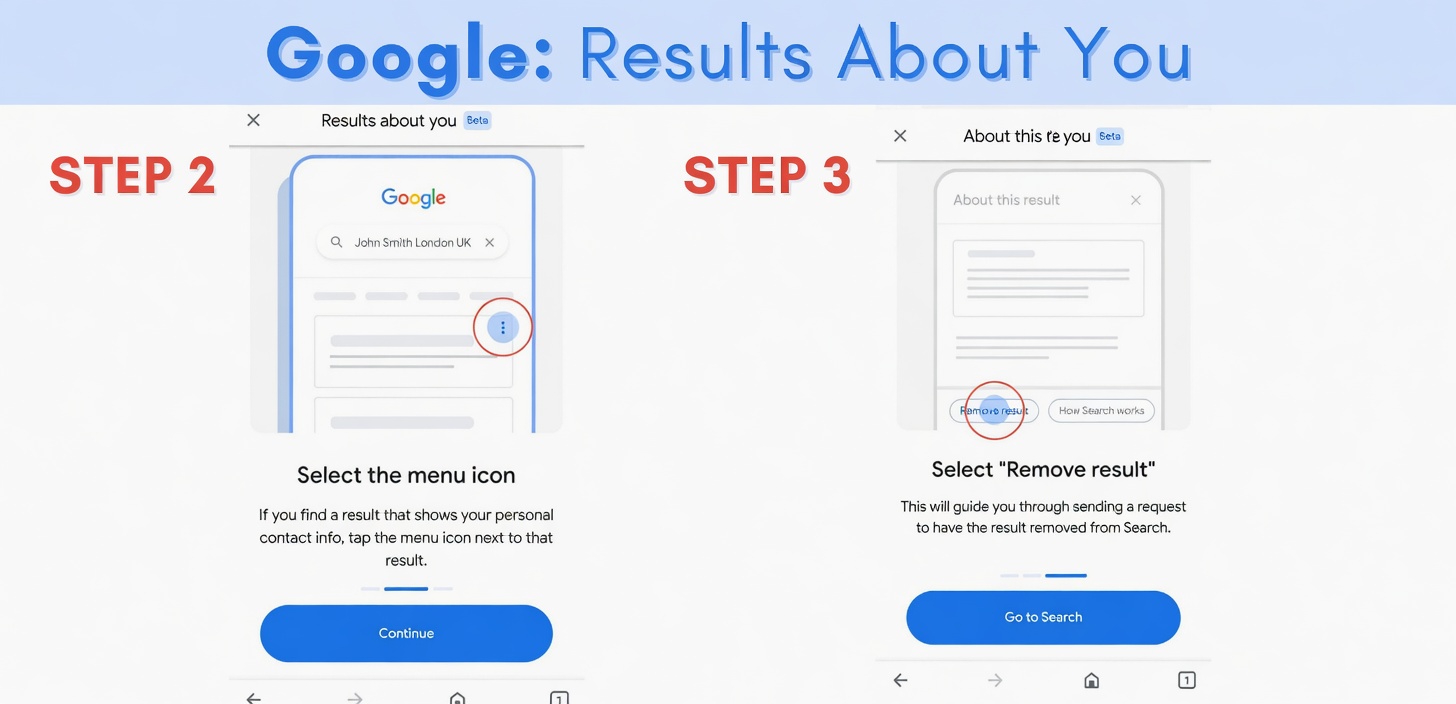
When you find a result you want reviewed, tap the three-dot button in the top right corner of that result. Then choose Remove Result.
Google will take you through a few questions to confirm your information. After that, the request is sent for review and possible removal from Search.
Once the request is submitted, Google may take a few days to process it. If your request is approved, Google will notify you, and the information will be removed from Google search results.
The URL containing your personal data should no longer appear in searches.
In one case, approval came within a day.
Take Back Some Control of Your Privacy
This process does not completely erase your information from Search, but it can help you regain some control over your private data online.
If you want to make your personal information harder to find, these three steps can help you start keeping your private information more private.